Settings
The Settings page (menu Administration → Settings) contains the global application configuration. Every setting is stored as a key/value pair.
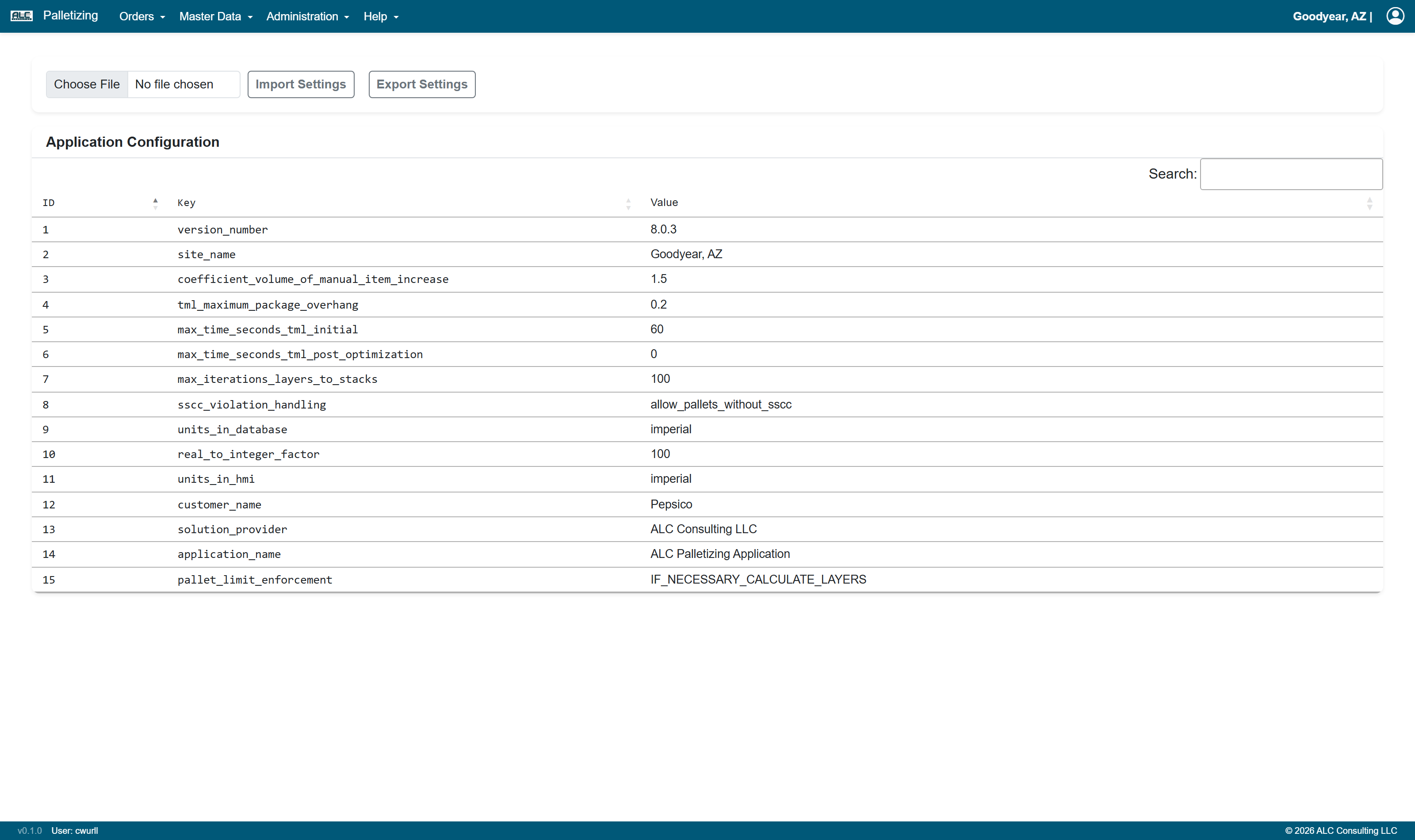
Application Configuration Table
| Column | Description |
|---|---|
| ID | Unique identifier of the setting |
| Key | Name of the configuration parameter |
| Value | Current value of the configuration parameter |
Edit Setting
An existing setting can be changed via Edit Setting. The dialog shows the ID, the Key and the Value; only the value can be modified. Confirm with Save Setting or abort with Cancel.
Note: New keys cannot be created from the user interface — only the values of the existing configuration parameters can be changed.
The setting coefficient_volume_of_manual_item_increase (Manual Top-off Coefficient) is
additionally used for the evaluation on the
Pallet Height Violation page.
Actions
The action bar at the top of the page contains the following controls:
| Control | Description |
|---|---|
| File input | Select an Excel file (.xlsx) with settings to be imported |
| Import Settings | Imports the configuration values from the selected file |
| Export Settings | Creates an Excel file with all configuration values and provides it as download |
Note: Import and Edit are only available to users with the Editor or Administrator role. Users with read-only access see these controls greyed out and disabled ("Edit permission required").